Payment Analytics
Overview
Payment Analytics is a fully white-label, self-service analytics tool that consolidates payment data into a single, consistent experience.
It provides visibility across the transaction lifecycle using modern Business Intelligence tooling (Power BI) on top of existing payment data stores.
Payment Analytics helps merchants and PSPs understand, explain, and optimize payment performance by turning transaction data into clear, actionable insights. These insights can help improve acceptance rates, reduce friction, and support sustainable revenue growth.
What you get
- Visibility into payment performance across key lifecycle stages, including authorization and authentication (for example, 3D Secure).
- A single, SSO-enabled analytics experience aligned with the Payments Orchestration and Merchant Portal strategy.
Access
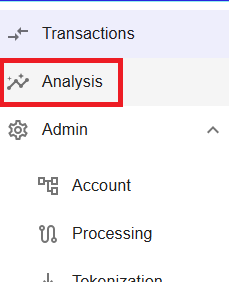
To access Payment Analytics in Merchant Portal:
- Go to Analysis.
- Select Payment Analytics.
Figure 1: Access Payment Analytics from the Merchant Portal menu
Navigation
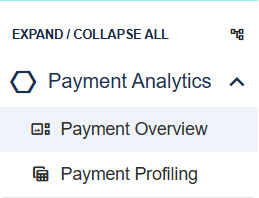
Use the left navigation panel to open Payment Analytics.
The sub-menu provides access to the available reports:
- Payment Overview provides quick insight into your business through the payment health dashboard, helping identify acceptance gaps and key performance trends.
- Payment Profiling enables detailed analysis using available payment data, allowing you to build custom reports and investigate specific business trends and patterns.
Use the available filters to refine the displayed data and focus on the areas most relevant to your analysis.
Figure 2: Payment Analytics navigation and filters